Winter Activity Icons: A Graphics Toolkit for Seasonal Products
As I'm sketching out a new seasonal product collection for my Etsy shop, I've been testing graphic design assets that can be versatile enough to handle multiple formats—SVGs for my Cricut customers, PNGs for printable downloads, and clean vectors for my print-on-demand partners. One asset I’ve been evaluating is a Winter Activity Icons Set. My approach as a seller is always practical: I look for an asset’s mood, its niche appeal, and its potential to translate into real, sellable products without requiring excessive modification.
First Impressions and Visual Personality
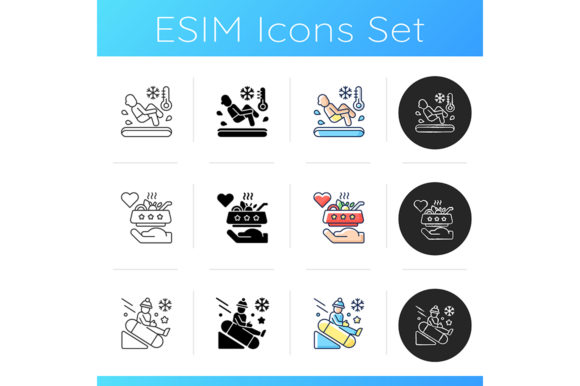
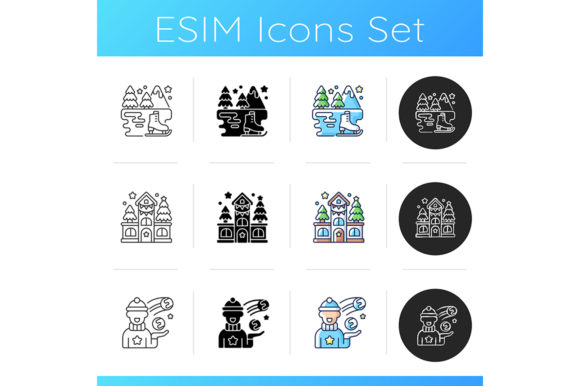
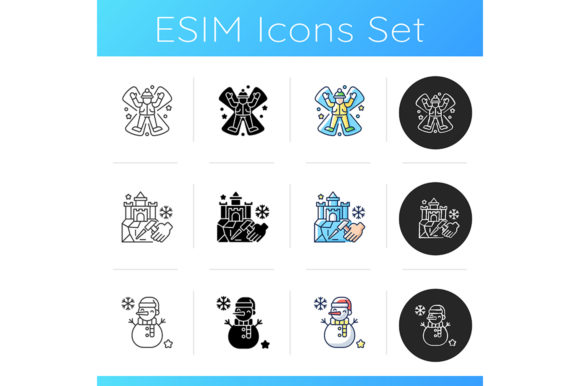
Opening the ZIP file, the immediate impression is a clean, linear style with both black and RGB color variations. The set includes illustrations of snow angels, ice sculptures, snowmen, and festive elements tied to Christmas holidays and New Year celebrations. The isolated vector format is a professional starting point. The style leans modern and minimal, which gives it broad commercial appeal. It doesn't feel overly cute or rustic, making it suitable for a range of audiences from crafters looking for elegant scrapbooking kits to small business owners wanting sleek branding for seasonal promotions.
The mood is festive but not overly childish, which is a key distinction. This means it could work for holiday greeting cards aimed at adults or for winter-themed social media graphics for a boutique. Its visual personality is decorative yet straightforward, which often helps in creating perceived value—customers recognize a clean, professional design.
Real Product Applications: From SVG Files to Canva Templates
In my test runs, I focused on how the Winter Activity Icons Set performs in actual product-selling situations. For SVG products, the icons work well for cut lines in Cricut projects like planner stickers or t-shirt graphics. The linear style translates cleanly into sublimation designs for mugs and tumbler wraps, where detail needs to be crisp but not overly complex.
As PNG designs, they’re excellent for digital downloads like printable wall art or invitation templates. I’ve mocked up a few blog graphics and promotional visuals using the RGB color styles against white backgrounds, and they create a strong visual hierarchy without dominating the layout. For a complete digital product like a Canva template, these icons act as versatile decorative elements that users can easily resize and recolor.
Here are a few specific product types I’ve tested or would consider bundling this asset into:
- Seasonal clipart bundles for crafters and digital paper packs.
- Planner sticker sets and scrapbooking kits.
- Greeting card and invitation template suites.
- T-shirt graphics, tote bag prints, and other merchandise.
- Social media template packs for small business branding.
- Printable nursery prints with a winter theme.
- Elements for packaging design on holiday products.
Strengths in Product Presentation and Thumbnail Appeal
From a selling perspective, presentation is half the battle. This Winter Activity Icons Set supports a more professional-looking collection. When used in product mockups—like a mockup of a mug or a mockup of a digital download preview—the icons add decorative detail without cluttering the image. This helps in building customer trust; a clean mockup suggests a polished final product.
For marketplace listings on Etsy or Creative Fabrica, using these icons within your own listing images can enhance the thumbnail appeal. They can frame your text or act as visual accents, telling a story of a winter-themed collection. They’re particularly effective for themed bundles. Imagine bundling a set of winter icons with matching font styles: it creates brand consistency and increases the perceived value of your digital product.
Where This Graphics Asset Works Best
Based on my tests, the Winter Activity Icons Set excels in certain applications. It’s ideal for large product previews where the linear details can be appreciated. It works beautifully in decorative layouts for printable products like wall art, where the isolated illustrations can be arranged artistically. For merchandise graphics, like a simple snow angel on a tote bag, the style is modern and wearable.
It’s also a strong fit for social media promos and blog graphics where you need quick, recognizable visual elements. And, for creative marketplace listings, using these icons within your own graphic to advertise a bundle of design assets can immediately communicate the theme and quality.
Practical Considerations and Areas for Careful Use
No asset is perfect for every single use, and a business-minded review requires noting where to proceed with caution. The linear style, while clean, means that very fine details might not translate if shrunk too small. For instance, using these for tiny sticker details on a crowded layout could lose clarity. Similarly, on overly complex layouts or text-heavy templates, the icons might compete rather than complement.
For products where clean cutting lines are paramount, like intricate Cricut or Silhouette projects, always inspect the SVG file quality in your software first. Test a cut on a small scale. Also, while the RGB colors are vibrant, test them for print colors if you’re offering physical products through print-on-demand; sometimes screen colors differ from print output.
On dark backgrounds, the black linear version obviously works, but the RGB color styles might need a background adjustment or a slight outline to maintain contrast. Always preview your design as a marketplace thumbnail—a crowded thumbnail with too many small icons can look busy and reduce click-through potential.
Essential Seller Notes Before Publishing
Before I list any product using these graphics, I follow a routine checklist. It’s saved me from post-launch headaches many times.
- Test the design on real product mockups. See how it looks on a t-shirt mockup, a mug mockup, and a digital download preview frame.
- Preview the key icon as a standalone marketplace thumbnail. Does it attract attention or look too vague?
- Check how the icons look on both white and dark backgrounds to ensure versatility.
- If offering printables, test a print at home to verify the resolution and color output.
- Verify PNG transparency is clean—no white fringe around the icons.
- For SVG-based products, inspect the cut quality in your cutting software and do a test cut.
- Organize the files clearly for your customers. If you’re bundling them, label folders logically (e.g., “PNG_Black,” “SVG_Color”).
- Pair the icons with complementary font styles in your listings or templates. The linear icons pair well with a sleek sans serif font for a modern look, a delicate script font for elegance, or a bold display font for festive impact.
- Finally, always confirm the commercial licensing of the original asset and your right to sell derivative finished products. This is the foundation of a legitimate digital selling business.
This Winter Activity Icons Set, with its focus on snow angels, ice sculptures, snowmen, and holiday celebrations, is a solid graphic design asset for commercial design work. It won’t do everything for you, but it provides a professional, versatile foundation. For digital product creators, print-on-demand sellers, and creative entrepreneurs preparing for the winter season, it’s a toolkit worth testing across your product line. Its strength is in its adaptability—from a simple social media graphic to a detailed Cricut project—helping you build a cohesive and visually appealing seasonal collection.